


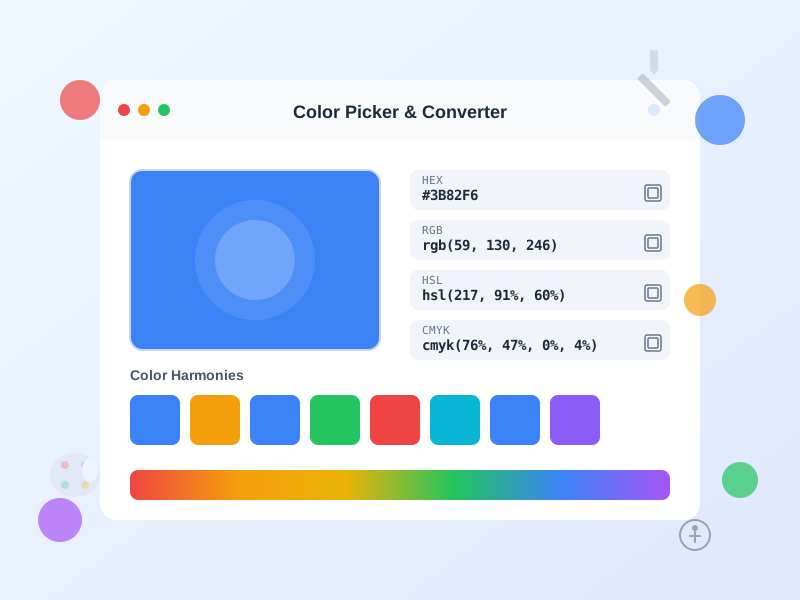
Color Picker - HEX RGB HSL Converter & Palette Generator
Free online color picker tool with instant conversion between HEX, RGB, HSL, HSV, and CMYK formats. Generate color palettes, check WCAG accessibility, and creat...
13 min read

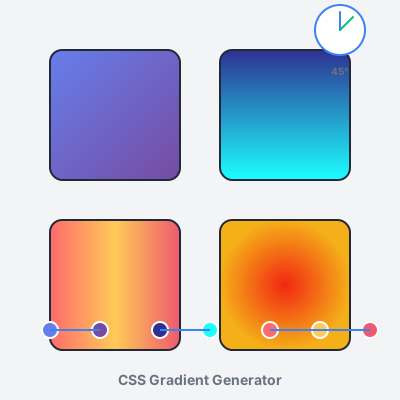
Create stunning CSS gradients with our free online tool. Design linear, radial, and conic gradients with intuitive visual controls. Adjust colors, angles, positions, and export production-ready CSS code instantly. Features live preview, gradient presets, color stop management, and gradient history. No registration required—start creating beautiful gradients now.
CSS gradients create smooth color transitions directly in the browser without requiring image files. Instead of loading separate PNG/JPG background images (HTTP requests, file size overhead, resolution constraints), gradients are defined as CSS background-image values and rendered natively by the browser.
Three gradient types:
Advantages over images:
Browser support: All modern browsers support unprefixed gradients (Chrome 26+, Firefox 16+, Safari 7+, Edge 12+, iOS Safari 7+, Android 4.4+). No vendor prefixes (-webkit-, -moz-) needed for gradients created after 2014.
Linear gradients create color transitions along a straight line defined by an angle parameter. The gradient line extends from the element’s center in the specified direction, with colors distributed along that line.
Syntax: background: linear-gradient(angle, color-stop1, color-stop2, ...);
Angle definitions:
to right (0deg), to bottom (90deg), to left (180deg), to top (270deg), to top-right (45deg), to bottom-right (135deg), etc.Color stops syntax:
linear-gradient(90deg, #667eea, #764ba2) — colors evenly distributed from top (blue-purple) to bottom (purple).linear-gradient(90deg, #667eea 0%, #764ba2 100%) — explicit positions (0% = start, 100% = end). Stops outside 0-100% extend color infinitely.linear-gradient(45deg, red 0%, yellow 25%, green 50%, blue 75%, purple 100%) — rainbow diagonal with 5 evenly-spaced colors.linear-gradient(90deg, red 0%, red 50%, blue 50%, blue 100%) — sharp horizontal split (red top half, blue bottom half).Common use cases:
background-clip: text for gradient text effectslinear-gradient(rgba(0,0,0,0.5), rgba(0,0,0,0.7)) over photo)Performance tip: Simple 2-3 color gradients render faster than 10+ color complex gradients. For photo-realistic backgrounds with many subtle transitions, use actual images—they’ll perform better.
Radial gradients create color transitions radiating outward from a center point in circular or elliptical patterns. Unlike linear gradients (straight lines), radial gradients emanate concentrically.
Syntax: background: radial-gradient(shape size at position, color-stops);
Shape parameter:
Size parameter (controls gradient spread):
Position parameter (center point):
center (default), top, bottom, left, right, top left, bottom right, etc.at 30% 70% (30% from left, 70% from top), at 0% 0% (top-left corner), at 100% 100% (bottom-right corner)at 150px 200px (absolute positioning from top-left)Examples:
radial-gradient(circle, #667eea, #764ba2) — circular purple gradient from centerradial-gradient(ellipse farthest-corner at 70% 30%, yellow, orange, red) — sunset spotlight in top-rightradial-gradient(circle closest-side at center, white, transparent) — vignette darkening (overlay on images)Common use cases:
radial-gradient(ellipse, transparent 50%, rgba(0,0,0,0.7) 100%))Conic gradients transition colors rotated around a center point, sweeping 360 degrees like a color wheel or pie chart. Unlike radial (center-outward) or linear (directional line), conic gradients rotate concentrically.
Syntax: background: conic-gradient(from angle at position, color-stops);
From angle parameter (rotation):
from 0deg starts at top, from 90deg starts at right, from 180deg starts at bottom, from 270deg starts at leftAt position parameter (center point):
at center (default), at 50% 50%, at top left, etc.Color stops (angular positions):
red 0deg (top), blue 120deg (bottom-left), green 240deg (bottom-right), red 360deg (completes circle)conic-gradient(red 0deg, red 120deg, blue 120deg, blue 240deg, green 240deg, green 360deg)Examples:
conic-gradient(from 0deg, red, yellow, green, cyan, blue, magenta, red) — rainbow color wheelconic-gradient(from 45deg at 50% 50%, #667eea 0deg, #764ba2 180deg, #667eea 360deg) — two-color rotational gradientconic-gradient(red 0deg 90deg, blue 90deg 180deg, green 180deg 270deg, yellow 270deg 360deg) — four-color pie chartCommon use cases:
conic-gradient(blue 0deg 120deg, lightgray 120deg 360deg) for 33% progress)@keyframes rotating conic gradient)clip-path for true charts)Browser support: Chrome 69+, Firefox 83+, Safari 12.1+, Edge 79+. Older browsers fall back to solid background-color—provide fallback: background: #667eea; background: conic-gradient(...);
Color stops define transition points in gradients—each stop specifies a color and position. Effective stop management creates professional, purposeful gradients.
Adding color stops:
Positioning strategies:
red 0%, yellow 25%, green 50%, blue 75%, purple 100% — uniform transitions, rainbow effectsred 0%, orange 10%, yellow 20%, white 100% — intense start transition, long fade at endblue 0%, blue 50%, red 50%, red 100% — sharp color split with no transitionblue 40%, red 60% — creates short transition zone (40-60%), longer solid color zonesColor selection tips:
Accessibility considerations:
background: #667eea; background: linear-gradient(...);This tool includes 12 professionally designed gradient presets covering common design aesthetics. Presets serve as starting points—click any preset to load into the editor, then customize colors, angles, and stops to match your brand.
Preset categories:
Using presets effectively:
Creating custom preset libraries:
$gradient-primary: linear-gradient(...);The “Generate Random Gradient” feature creates unpredictable, often surprising gradient combinations—ideal for creative exploration, rapid prototyping, and breaking designer’s block.
How it works:
Creative workflow:
Use cases:
Limitations:
Pro tip: Generate randoms with specific color palette by manually setting 1-2 stops to brand colors, then adding random stops between. This constrains randomness to brand-appropriate ranges.
This tool offers four preview modes demonstrating how gradients render on different element types—each mode exposes unique gradient characteristics.
Box mode (default):
Button mode:
Text mode:
background-clip: textCard mode:
Workflow recommendation:
Export gradients in three formats optimized for different development workflows—all produce identical visual results, choose based on your project structure.
CSS format:
.element {
  background: linear-gradient(90deg, #667eea 0%, #764ba2 100%);
}
<style> tags, or CSS-in-JS librariesSCSS format:
$gradient: linear-gradient(90deg, #667eea 0%, #764ba2 100%);

.element {
  background: $gradient;
}
Inline style format:
style="background: linear-gradient(90deg, #667eea 0%, #764ba2 100%);"
element.style.background = gradientUsage tips:
.bg-gradient-purple) or CSS custom properties (--gradient-primary)_gradients.scss)The History panel stores your last 20 created gradients in browser localStorage, enabling quick access to previous designs without re-creating from scratch.
How History works:
Storage details:
gradient-historyPrivacy & offline:
Workflow best practices:
Cross-device workflow: For sharing gradients across devices or team members:
Backup recommendation: Export important gradients to external files—localStorage is not permanent (browser cache clears, device failures, accidental clears). Maintain gradient library in:
$gradient-primary: linear-gradient(...);:root { --gradient-primary: linear-gradient(...); }Gradients should reinforce brand identity, not distract from it. Align gradient color choices with established brand colors, industry expectations, and target audience preferences.
Brand color integration:
Industry alignment:
Audience considerations:
Consistency across touchpoints:
Gradients as backgrounds must preserve text legibility—beautiful gradients are useless if users can’t read content.
Contrast requirements (WCAG standards):
Testing contrast:
Improving gradient readability:
background: linear-gradient(rgba(0,0,0,0.5), rgba(0,0,0,0.5)), linear-gradient(90deg, #667eea, #764ba2);
text-shadow: 0 2px 4px rgba(0,0,0,0.5);
Color combination tips:
While CSS gradients are more efficient than image files, complex gradients can impact render performance—especially on mobile devices and older browsers.
Performance factors:
transform instead for animations when possible.Optimization strategies:
1. Simplify color stops: Instead of 10-stop rainbow gradient, use 3-4 stops:
/* Before: 10 stops */
background: linear-gradient(90deg, red 0%, orange 11%, yellow 22%, lime 33%, green 44%, cyan 55%, blue 66%, indigo 77%, violet 88%, red 100%);

/* After: 4 stops (similar visual, better performance) */
background: linear-gradient(90deg, red 0%, yellow 33%, blue 66%, violet 100%);
2. Use CSS custom properties for theme switching: Define gradients as CSS variables for easy theme changes without recalculating:
:root {
  --gradient-primary: linear-gradient(90deg, #667eea, #764ba2);
}

.element {
  background: var(--gradient-primary);
}
3. Avoid animating gradient properties:
Animating background triggers expensive repaints. Use pseudo-elements with opacity transitions:
.button {
  position: relative;
  background: linear-gradient(90deg, #667eea, #764ba2);
}

.button::before {
  content: '';
  position: absolute;
  inset: 0;
  background: linear-gradient(90deg, #764ba2, #667eea);
  opacity: 0;
  transition: opacity 0.3s;
}

.button:hover::before {
  opacity: 1;
}
4. Provide solid color fallbacks: Older browsers or accessibility modes may not support gradients—always include fallback:
.element {
  background: #667eea; /* Fallback solid color */
  background: linear-gradient(90deg, #667eea, #764ba2); /* Gradient */
}
5. Test on target devices: Render performance varies drastically across devices. Test gradients on:
Multiple background gradients create sophisticated visual effects impossible with single gradients—mesh gradients, overlays, patterns, and depth.
Syntax for multiple backgrounds:
.element {
  background:
    linear-gradient(135deg, rgba(102,126,234,0.8), rgba(118,75,162,0.8)),
    radial-gradient(circle at top right, #f5af19, #f12711);
}
First gradient (linear) renders on top, second gradient (radial) renders beneath. Use semi-transparent colors (rgba, hsla) in top layers to show lower layers.
Common layering techniques:
1. Mesh gradients (organic color blends): Overlay multiple radial gradients with transparency:
background:
  radial-gradient(circle at 20% 80%, rgba(255,107,107,0.6), transparent 50%),
  radial-gradient(circle at 80% 20%, rgba(102,126,234,0.6), transparent 50%),
  radial-gradient(circle at 50% 50%, rgba(118,75,162,0.6), transparent 50%),
  #1a1a2e;
2. Vignette overlays (darken edges): Radial gradient overlay for focus:
background:
  radial-gradient(ellipse at center, transparent 30%, rgba(0,0,0,0.7) 100%),
  linear-gradient(135deg, #667eea, #764ba2);
3. Gradient patterns (stripes, grids): Repeating gradients for geometric patterns:
background:
  repeating-linear-gradient(45deg, transparent, transparent 10px, rgba(255,255,255,0.1) 10px, rgba(255,255,255,0.1) 20px),
  linear-gradient(90deg, #667eea, #764ba2);
4. Directional overlays (depth simulation): Combine linear + radial for 3D lighting effects:
background:
  linear-gradient(180deg, rgba(255,255,255,0.1), rgba(0,0,0,0.3)),
  radial-gradient(circle at 30% 30%, #fff, #667eea);
Best practices:
Gradient rendering varies across browsers, especially with advanced features (conic gradients, complex color spaces). Ensure consistent visual appearance through cross-browser testing.
Browser support summary:
Cross-browser testing checklist:
1. Test in major browsers:
2. Provide conic gradient fallbacks: Conic gradients unsupported in older browsers—provide solid color fallback:
.element {
  background: #667eea; /* Fallback for browsers without conic support */
  background: conic-gradient(from 0deg, #667eea, #764ba2, #667eea);
}
3. Test color formats: Some browsers reject malformed colors:
# in hex colors: #667eea not 667eeargb(102, 126, 234) or rgba(102, 126, 234, 0.8)4. Verify on real devices: Emulators don’t perfectly replicate device rendering:
5. Check accessibility modes: High contrast modes and color inversion may alter gradients:
Debugging tools:
Gradients are powerful visual tools—overuse creates cluttered, dated designs. Strategic, purposeful gradient placement enhances UI without overwhelming users.
Where to use gradients:
Where to avoid gradients:
Signs of gradient overuse:
Gradient restraint guidelines:
Evolution over time: Gradient trends change—90s web used garish, neon gradients (dated). 2000s avoided gradients entirely (minimalism backlash). 2010s reintroduced subtle, sophisticated gradients (modern UI). Monitor design trends, but prioritize timeless brand alignment over trendy gradient styles. A well-executed 2-color brand gradient ages better than complex rainbow gradients following fleeting trends.
Manage multiple affiliate programs and improve your affiliate partner performance with Post Affiliate Pro.
Free online color picker tool with instant conversion between HEX, RGB, HSL, HSV, and CMYK formats. Generate color palettes, check WCAG accessibility, and creat...

Free online code beautifier and formatter. Format and beautify JavaScript, HTML, CSS, SQL, and more with syntax highlighting, customizable options, and instant ...

Generate UUIDs (v1, v4) and GUIDs instantly. Free online UUID generator with bulk generation, multiple formats, validation, and export options.
Join our community of happy clients and provide excellent customer support with Post Affiliate Pro.




Cookie Consent
We use cookies to enhance your browsing experience and analyze our traffic. See our privacy policy.